Fresh from the vault
Changelog
Back to all posts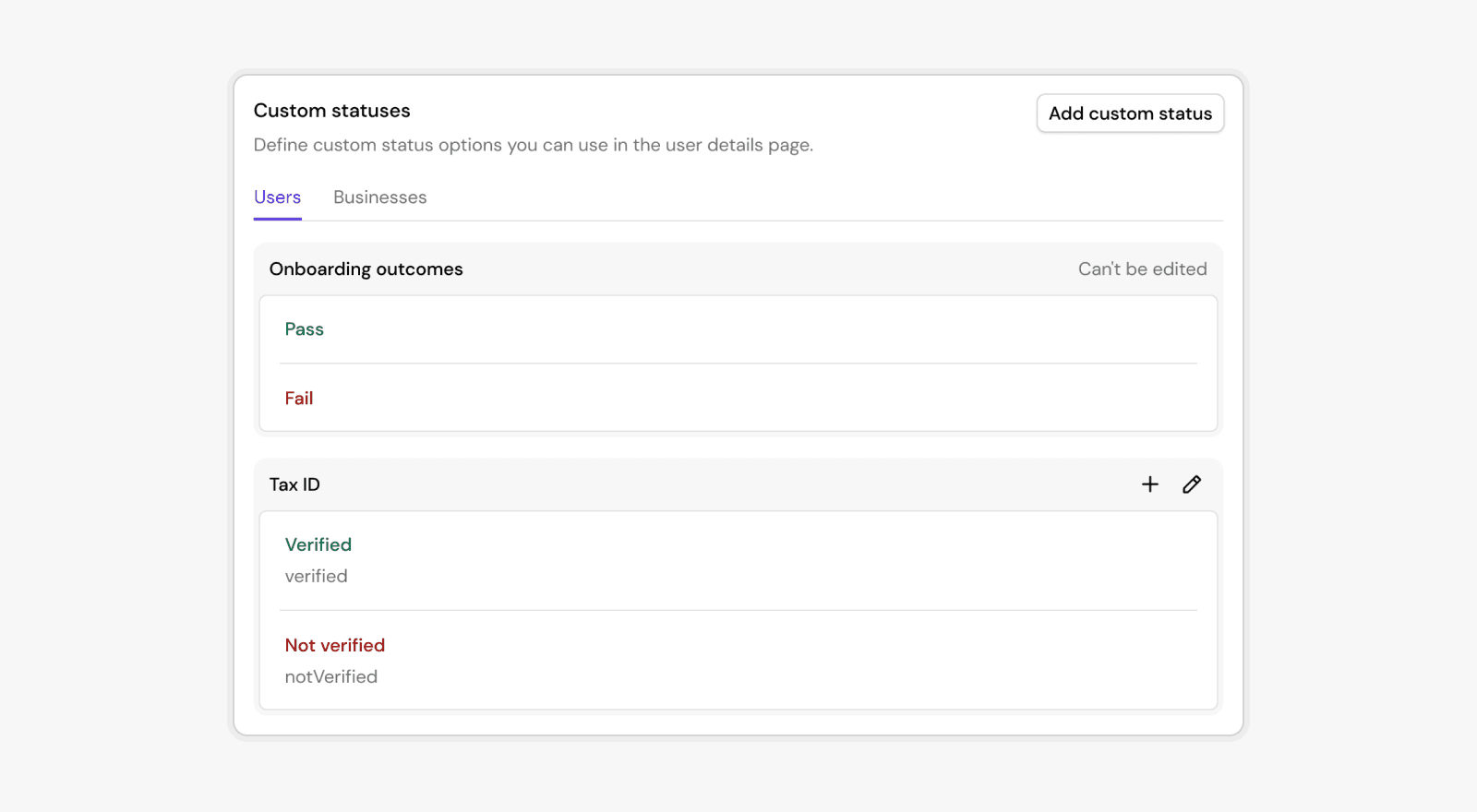
December 22, 2025 Pedro Marques
Introducing Custom Statuses
You can now define your own status categories and values directly in Footprint. This gives you complete flexibility to represent business-specific states for users or businesses, far beyond the built-in KYC/KYB outcomes.
What are custom statuses?
Custom statuses are customer-defined status attached to an entity (user or business). They let you encode long-lived, domain-specific state such as:
- Tax ID verification status
- KYC/KYB review state
- Compliance escalation flags
- Internal classification or routing states
How they work
Each custom status:
- Belongs to a category (for example:
Tax ID) - Holds one value at a time (such as
verified,notVerified) - Has a permanent slug for use in integrations and workflows
- Is fully audited, with Footprint maintaining an append-only log of all changes
Where you can use them
Custom statuses appear throughout Footprint:
- In Playbooks, via action nodes that set or clear statuses
- In the User / Business details page, where reviewers can update them manually
- In APIs and automations, via slugs that never change
Why this matters
This release lets teams bring their own business logic into Footprint without engineering work. You get:
- Clear visibility into state
- Consistent logic across workflows
- Clean audit trails for compliance
- A scalable way to track complex verification processes
Learn more in our docs.