Changelog
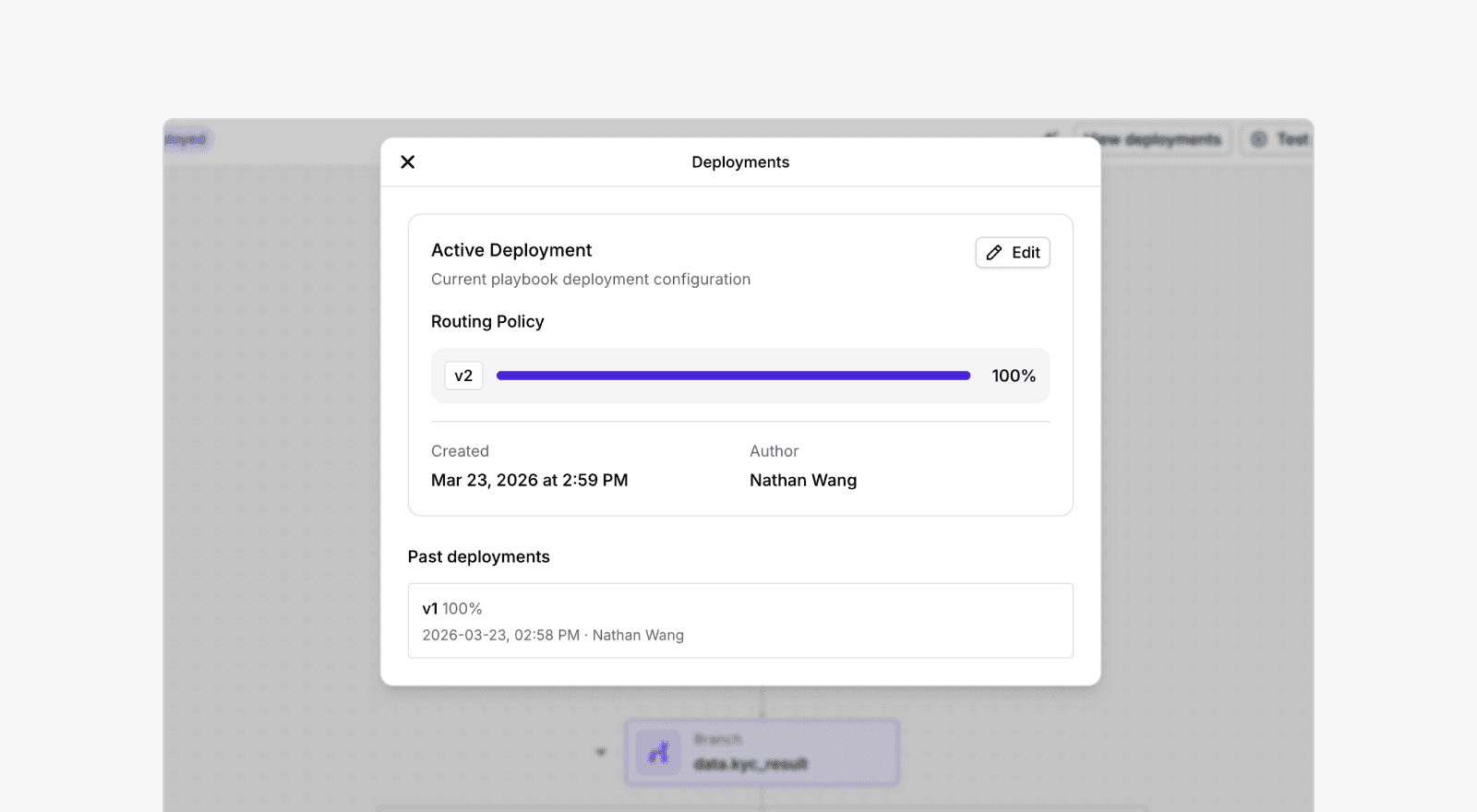

We’ve released Playbook Deployments, a new way to control how playbooks go live. This replaces the previous publishing model and gives you more flexibility and control.
What’s new
- Deploy multiple versions: Run multiple playbook versions simultaneously.
- Split traffic with weights: Control what percentage of onboardings each version receives.
- Run A/B tests: Experiment with different playbook versions and compare performance.
UI update
The “Publish” button has been replaced with “Deploy” in the playbook editor.
How it works
Previously, publishing a version (e.g. v5) made it the single live version. Now, when you click Deploy:
- A deployment modal appears with weights (e.g. v5 at 100%)
- Confirm to deploy → behavior stays the same (one version live)
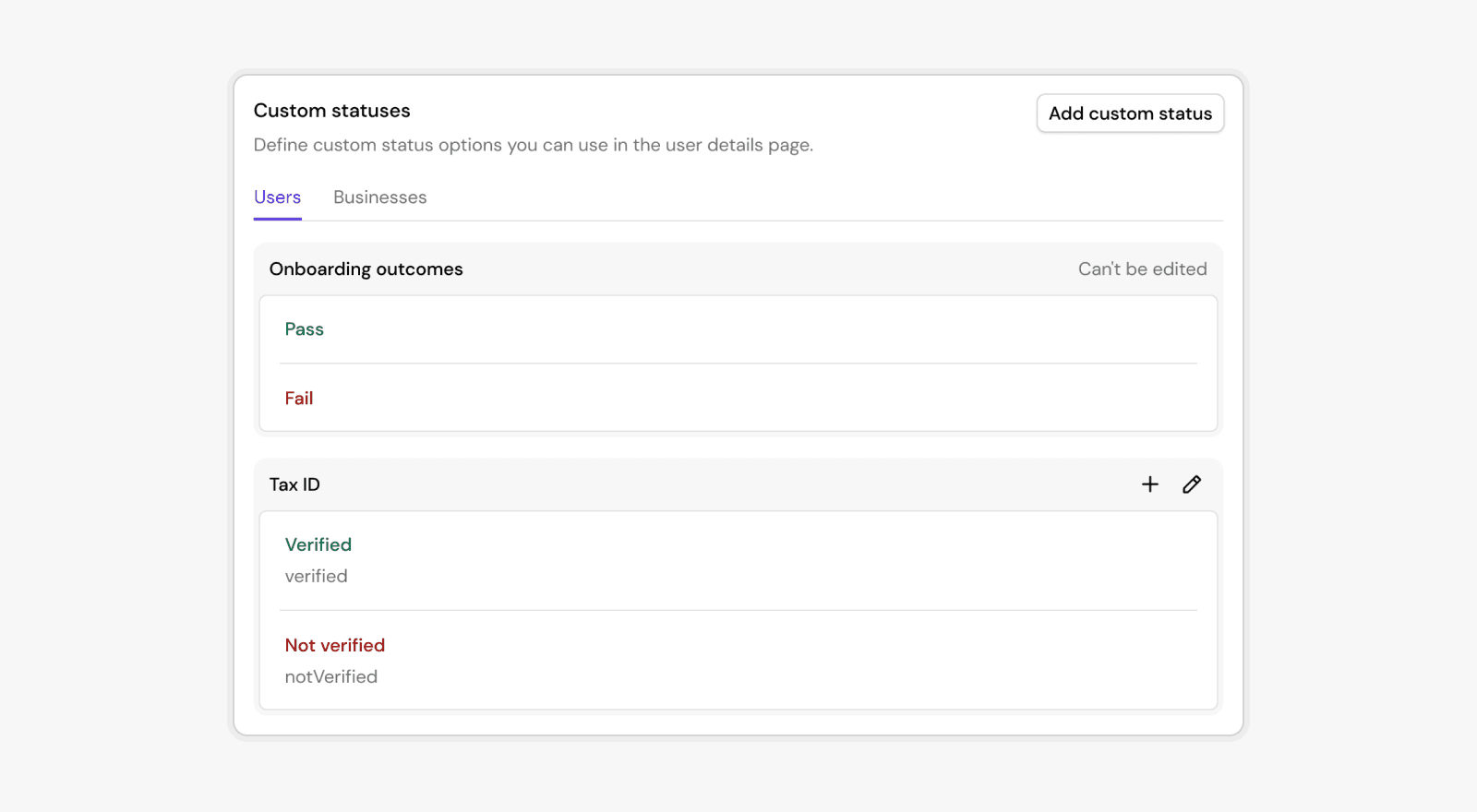
You can now define your own status categories and values directly in Footprint. This gives you complete flexibility to represent business-specific states for users or businesses, far beyond the built-in KYC/KYB outcomes.
What are custom statuses?
Custom statuses are customer-defined status attached to an entity (user or business). They let you encode long-lived, domain-specific state such as:
- Tax ID verification status
- KYC/KYB review state
- Compliance escalation flags
- Internal classification or routing states
How they work
Each custom status:
- Belongs to a category (for example:
Tax ID) - Holds one value at a time (such as
verified,notVerified) - Has a permanent slug for use in integrations and workflows
- Is fully audited, with Footprint maintaining an append-only log of all changes
Where you can use them
Custom statuses appear throughout Footprint:
- In Playbooks, via action nodes that set or clear statuses
- In the User / Business details page, where reviewers can update them manually
- In APIs and automations, via slugs that never change
Why this matters
This release lets teams bring their own business logic into Footprint without engineering work. You get:
- Clear visibility into state
- Consistent logic across workflows
- Clean audit trails for compliance
- A scalable way to track complex verification processes
Learn more in our docs.
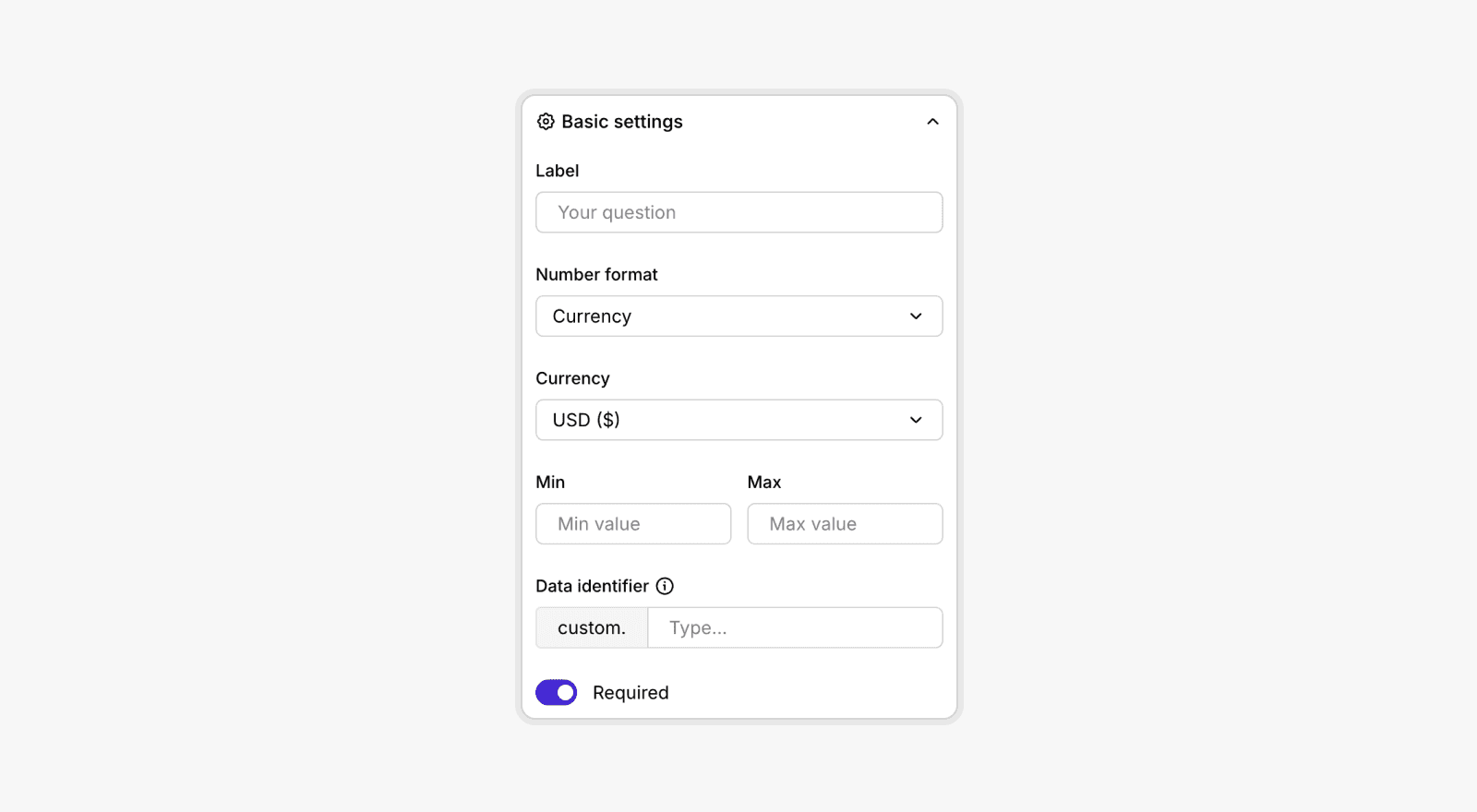
You can now collect currency inputs directly through the custom questions form builder.
This update adds a new Currency number format, allowing you to:
- Select a specific currency (USD only at the moment)
- Apply minimum and maximum value rules
- Automatically format user input as currency
- Store values with a clean, structured data identifier
This makes it much easier to capture financial information such as income, investment amounts, funding size, transaction thresholds, and more.
Give it a try in the form builder and let us know what else you'd like to collect!
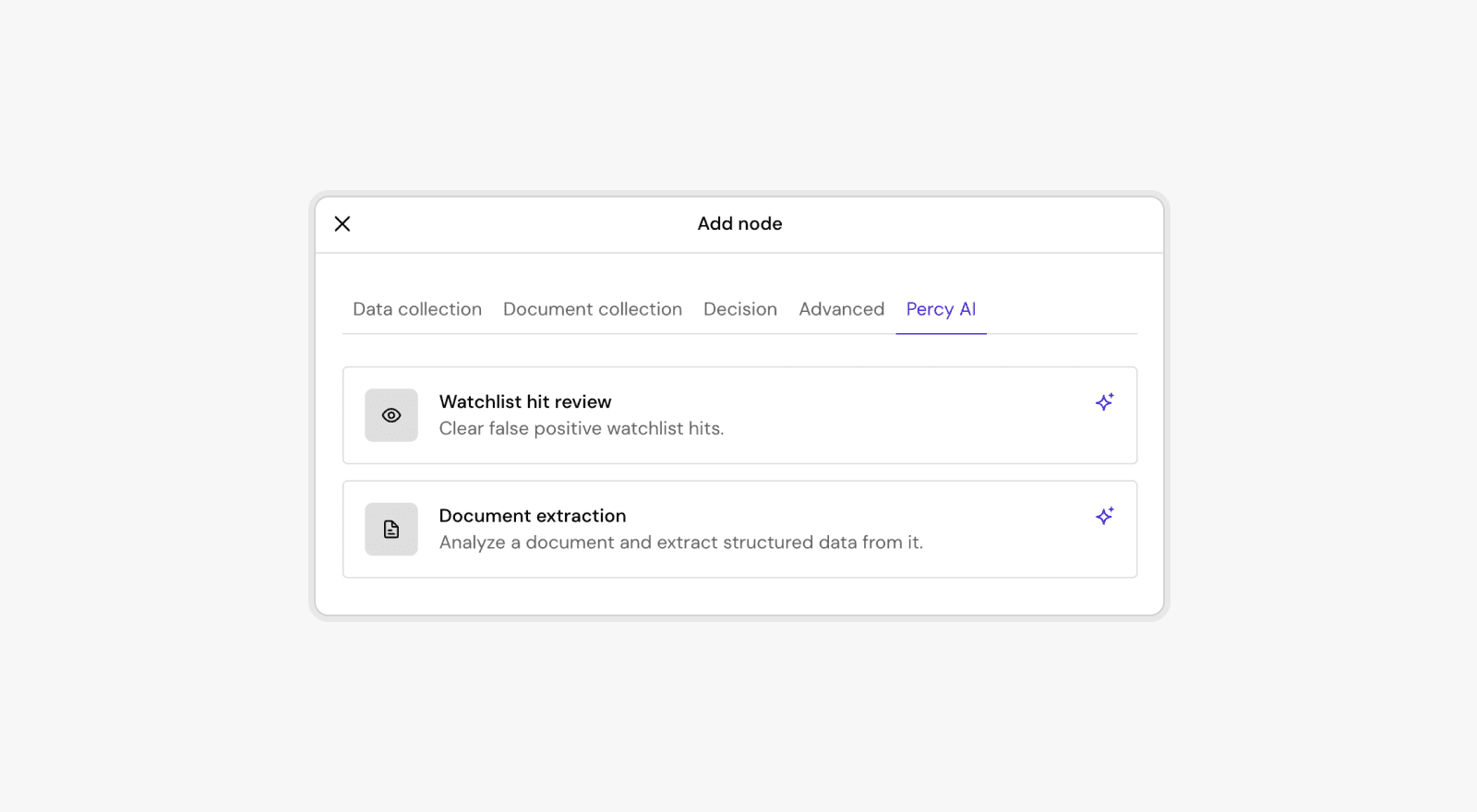
We’ve just shipped two powerful AI-driven capabilities to help teams move faster, reduce manual reviews, and streamline identity verification flows.
1. Watchlist hit review
Automatically assess false-positive watchlist hits so your team can focus only on the alerts that truly matter.
What it does:
- Analyzes watchlist matches using Percy AI
- Flags likely false positives
- Reduces manual review time and improves operational efficiency
This feature helps cut through noisy alerts and speeds up approvals without compromising compliance.
2. Document Extraction
A fully automated way to analyze user-submitted documents and extract structured, ready-to-use data.
What it does:
- Reads and interprets uploaded documents (e.g., IDs, statements)
- Extracts key fields into clean, structured data
- Reduces manual data entry and improves accuracy across workflows
Perfect for onboarding flows that require document-based data capture.
🛠 Where to find them
Both features are now available directly in the Percy AI tab when adding nodes to a Playbook.
And this is only the start! Many more powerful Percy AI agents are on the way to help you automate reviews, reduce manual work, and move faster than ever.
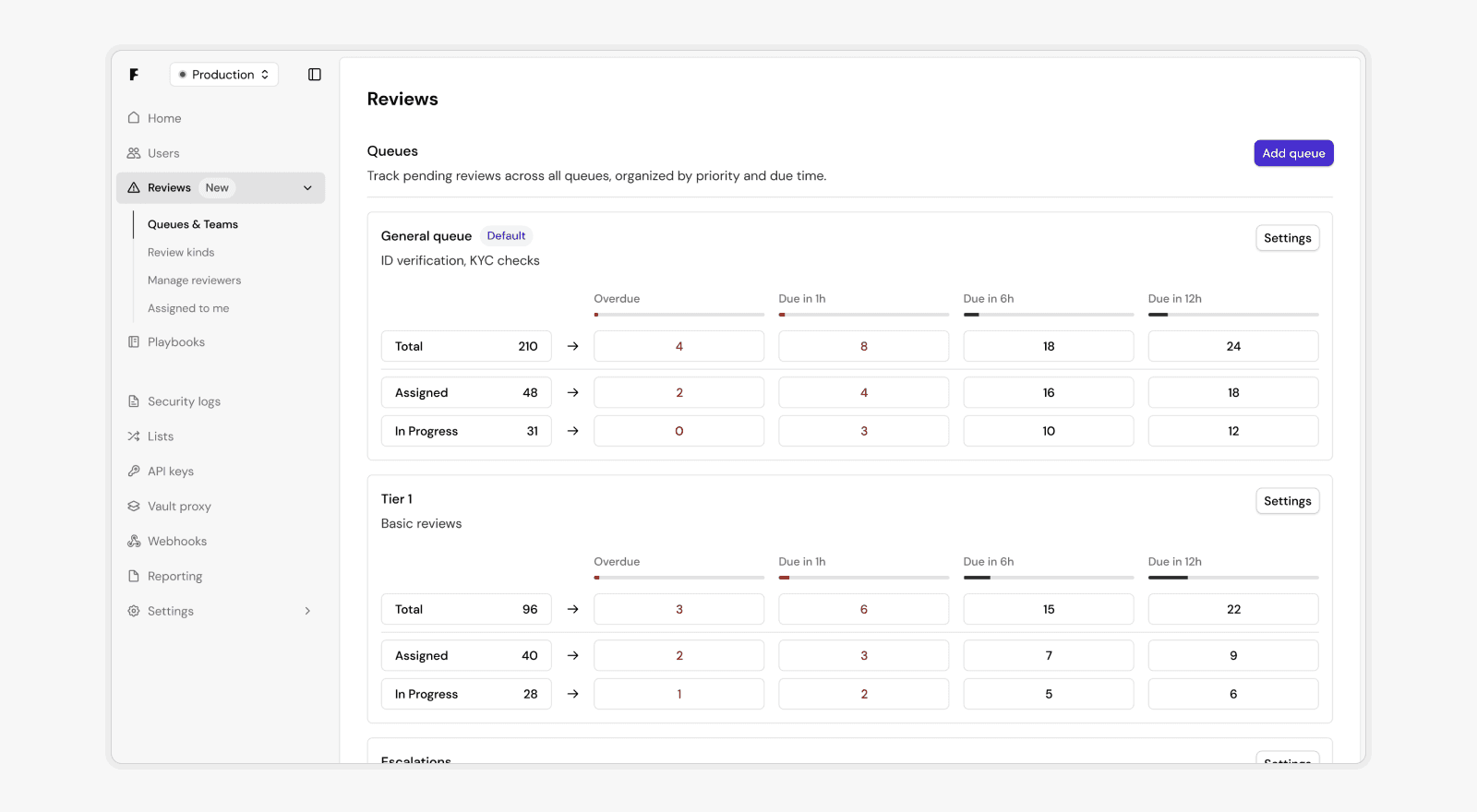
We’ve launched our Review Platform, a comprehensive system designed to help your operations team handle reviews faster, smarter, and more fairly.
Built around a sophisticated prioritization engine and dynamic work distribution, the Review Platform ensures that the right reviews reach the right team members at the right time, reducing idle queues and improving overall SLA performance.
Key highlights
- Real-time operational visibility: Live queue metrics, SLA proximity tracking, and staffing insights to help you stay ahead of bottlenecks.
- Fair work distribution: A configurable pull-based system that prevents cherry-picking and balances workload across your team.
- Smart prioritization: Multi-factor intelligence automatically escalates reviews based on urgency, SLA proximity, and other conditions.
- Specialized routing: Segment work by risk, complexity, or expertise, sending fraud cases to specialists and routine checks to general reviewers.
- Performance tracking & compliance: End-to-end audit trails and live dashboards to monitor productivity, queue health, and SLA adherence.
With the Review Platform, your team can resolve more reviews in less time, without sacrificing quality or compliance. Learn more: https://docs.onefootprint.com/articles/guides/manual-review-platform-introduction.